


Highlight reel videos are an important part of marketing your event today. Whether you are launching new products, running a conference, doing a pop-up shop, achieving celebrity at an outdoor concert, or having a casual network, you need to produce a great recap that will capture the experience of the people who attended. But what if you didn’t have enough footage to make a video?
Did you only take a couple of phone pictures? Did you miss parts of the event? Couldn’t you afford a professional video?
Fortunately, there are creative ways to take your limited visual assets and combine them into an interesting story that will make a unique event reel that can be used by anyone! It’s easier than you can imagine to achieve this when you consider using an event reel that you’re building using the latest video generation model, Seedance 2.5.
The goal is not to reproduce the event itself but to give an experience to the viewer that creates excitement!
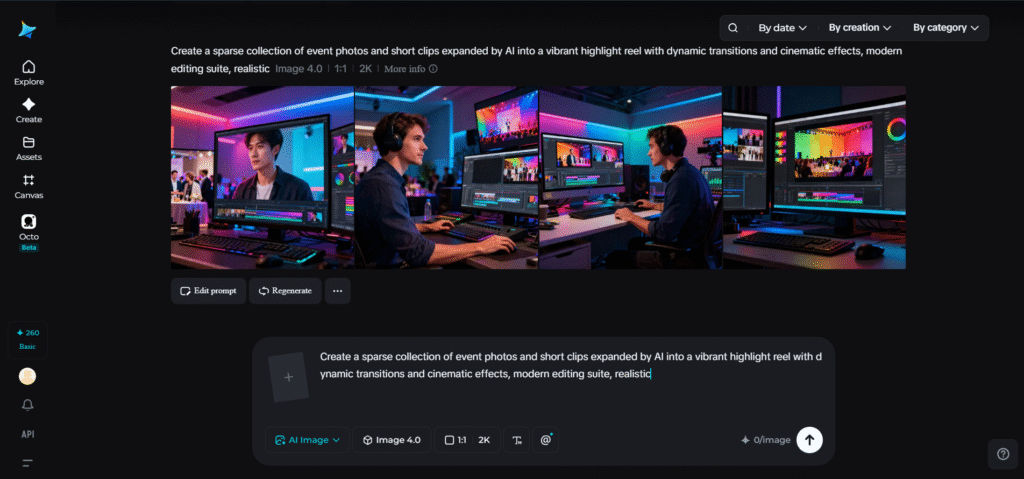
Why an event highlights reel remains relevant long after people leave
Even the most well-executed events last only a few hours, but a killer video can extend the life of your event for weeks or even months.
Attendees who watched the show on their devices would surely benefit from recapping and reliving the memories, and new attendees may be motivated to join your events in the future if they’re convinced by watching the highlight reels.
Moreover, your videos serve to support your case-building for your next product/event. Potential attendees may check out the previous highlight videos in your business to consider whether to participate in events in the future or to see whether an investment to participate in such an event would be beneficial.
Unfortunately for many organizations, post-event analysis after their events reveals that they simply don’t have sufficient footage to tell the full story for one of a number of the following common reasons:
- Insufficient filmmaking resources
- Last-minute planning
- Missing essential shots
- Low light levels
- Over-reliance on attendee footage
- A lack of budget
Ultimately, the story cannot be allowed to rest if no camera was available.
Fill the gaps using Seedance 2.5
One of the biggest differences with Seedance 2.5 compared to most generators is its lightweight production capabilities. Unlike some AI video tools that rely on prompts to guide all video production from beginning to end, its multimodal capabilities encourage creativity by mixing all of your event photos, branded assets, written content, posters, audio references, and inspirational material in a single interface. Whether you have a bunch of B-roll clips that didn’t make the final cut or not, the tools make it easy to transform disparate elements into comprehensive storytelling.
Their ability to continually generate for 30-second durations also makes it ideal for constructing flow for more advanced story development that allows for the continued accumulation and combination of clips within and without continuous camera movements and scene framing.
This is especially helpful for event highlight videos, which typically involve a sequence of actions like event arrival, interaction, speakers delivering messages, and, of course, celebrating success. Localized tools for editing even help you maintain consistency in visual direction without the need to create multiple renders just for tiny alterations to certain aspects of the video.
It’s about the experience, not just the visuals
People rarely remember every clip that went into a film. The feelings left after an event are more lasting than that – the essence of the experience
In summary, you can create an event highlight video that emphasizes experiences around an event over minute-by-minute documentation of the actual day. You can highlight conference-goers’ early arrivals, connections between various individuals during break periods, keynote speakers delivering important content, closeups of brand signage, people networking, and happy faces celebrating after-hours soirees.
Whether the actual number of videos used is just a few, your event launch highlight should portray such things if that was what was there.
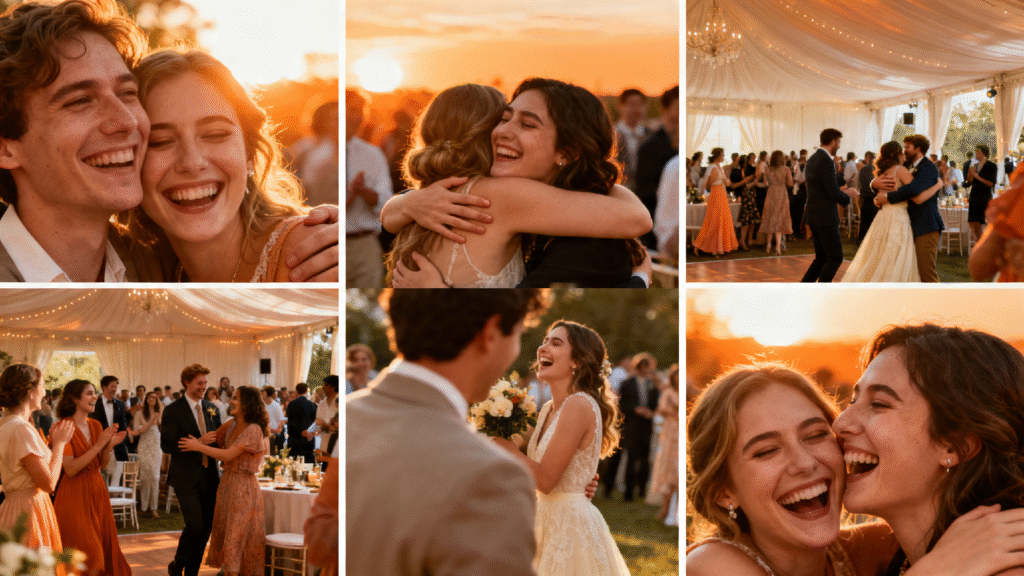
Elements that make a compelling event story
There’s not just the subject but how you’re framing and visualizes that subject matter-that’s what is known to make an event story unforgettable, be it the atmosphere and the aesthetic design of the environment, the reactions, and interactions among guests, your visual elements, interesting actions among the audience and speakers, or memorable closing bits that will continue in people’s minds long after it ends.
If these elements are your priority, the scarcity of visual resources is less of a hindrance and can even be considered an opportunity in itself.
Repurpose event assets into visual narratives
Event organizers have content that they often overlook:
- Invitations
- RSVP registration pages
- Graphic displays from their sponsors
- Presentation slides
- Pictures that were posted online of various guests
- Posters used for promotional purposes, banners, etc.
It is possible to put this content to good use.
Combining event logos with graceful slow movements, subtle crowd effects, light effects, and thoughtfully spaced transition that creates dynamic, visually impressive videos from mostly still sources.
It is feasible for businesses that host regular events to be able to adapt these tools for a workflow that doesn’t need an exorbitant video budget. By repurposing event assets this way, businesses can maintain momentum and keep interest among customers until their next event.
Roll out the red carpet: Create an event highlight with Dreamina
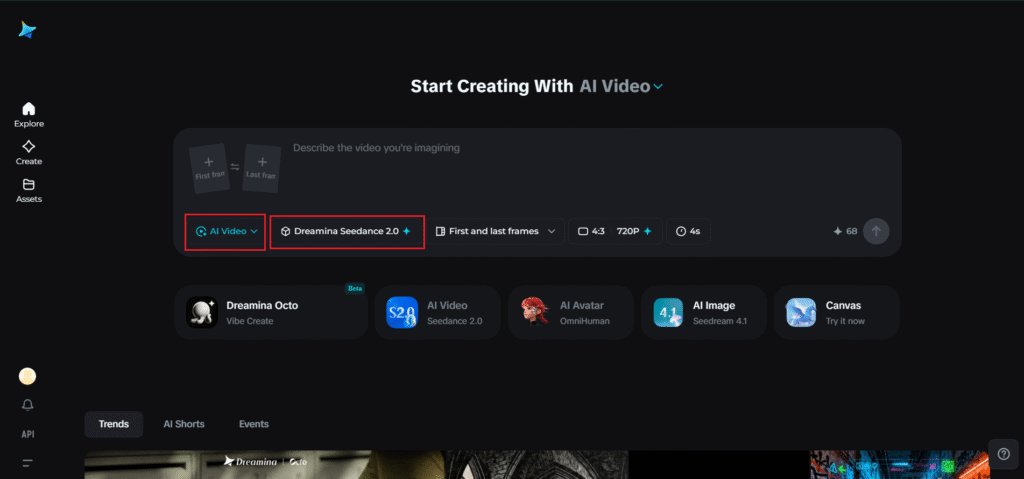
Step 1: Open the Dreamina Seedance 2.5 tool
Log in to the Dreamina app and pick the Seedance 2.5 AI Video Generator. From here, you can begin utilizing the official models to generate any number of video styles and qualities.
Step 2: Input your prompt and upload references
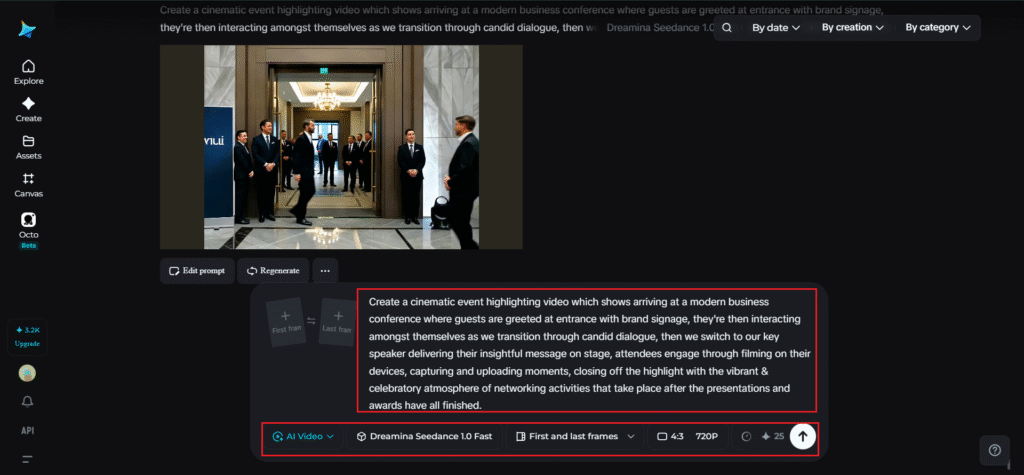
Choose a detailed prompt to guide the scenario, focus, motion, camera angle, and visual tone of the output. Additionally, any photographs or visual references uploaded to your prompt will provide Dreamina with important stylistic information and details that guide both the camera work and subjects, so that your video aligns with your existing brand or story.
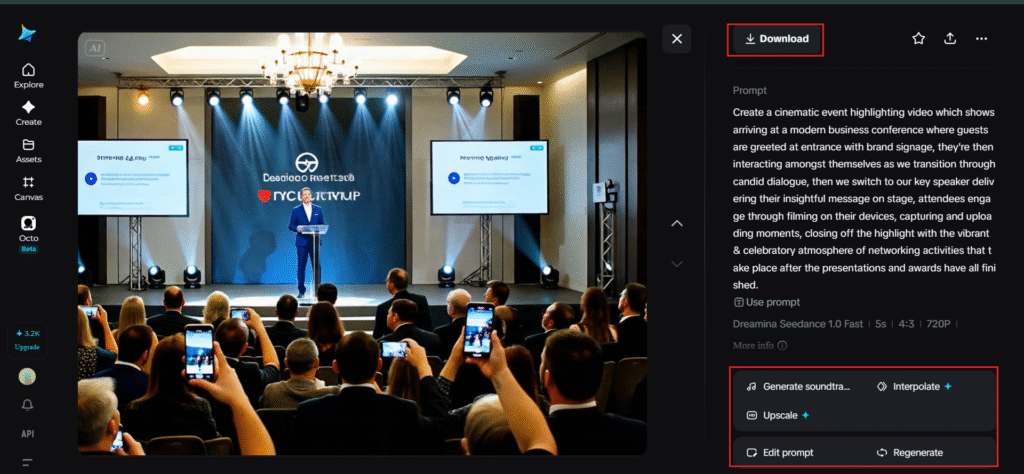
Below is an example prompt of an event highlighting video: Create a cinematic event highlighting video which shows arriving at a modern business conference where guests are greeted at entrance with brand signage, they’re then interacting amongst themselves as we transition through candid dialogue, then we switch to our key speaker delivering their insightful message on stage, attendees engage through filming on their devices, capturing and uploading moments, closing off the highlight with the vibrant & celebratory atmosphere of networking activities that take place after the presentations and awards have all finished.
Step 3: Generate, refine, and download
Click generate and allow the Dreamina Seedance 2.5 AI Video Generator to deliver the creative narrative as a dynamic clip. Edit to your liking, tweak and revise your prompt or uploaded references for another rendering if needed and then download your new video in whatever format most suits you.
No matter what, everyone deserves an event story
Every event can and should be a remarkable spectacle. The thing is, not all event organizer are able to spend vast amounts on production to capture every frame and detail of the event. More times than not, post-event, you might find yourself only with few photo snippets, or the very short video recordings of certain parts of the event or promotional content related to the event.
It’s fine.
Don’t give up!
Conclusion
The best highlights aren’t necessarily made up of hundreds or thousands of seconds worth of videos; they are those that bring excitement to life and inspire people to come join us to celebrate the next chapter of our endeavors.
Dreamina’s easy-to-use interface makes organizing all the references and conceptual ideas together simpler, while Seedance 2.5 brings you the technology to build entire stories out of scattered pieces of footage and other visual assets, rather than letting poor videography and production quality spoil your efforts of creating engaging content.